Veo 3.1’s Reference-to-Video: Producing highly consistent videos with Veo31ai
Veo 3.1, powered by advanced AI models, offers a suite of tools for generating high-quality videos from text prompts and images. One of its standout features is the Reference-to-Video mode, which allows users to create videos based on one or more reference images. This mode is particularly useful for scenarios where you want the AI to draw inspiration from existing visuals.
What is Veo 3.1's Reference-to-Video?
The Reference-to-Video mode enables the generation of videos by using 1 to 3 reference images as a foundation. Unlike standard text-to-video generation, which relies solely on textual descriptions, this mode integrates visual references to guide the AI's output. The images act as stylistic or thematic anchors, helping the model produce videos that align closely with the provided visuals.
Benefits of Using Reference Images
Enhanced Control
Reference images provide more precise guidance than text alone, reducing the need for iterative generations.
Creative Flexibility
Experiment with blending real photos, illustrations, or abstract art into dynamic videos.
Efficiency
Especially in the veo3_fast model, it allows for quicker generations while maintaining quality.
Applications
Use it for product demos (e.g., animating a static product image), artistic explorations, or educational content where visuals need to match specific references.
How to Use Reference-to-Video
Step 1: Provide Three Photos of the Video Subject from Different Angles, or Other Items for Consistency
Upload three high-quality photos of your subject (e.g., a character or object) from different angles—such as front, side, and back views—to help the AI maintain consistency in appearance. Alternatively, provide other references like style images or props that should remain consistent in the video.
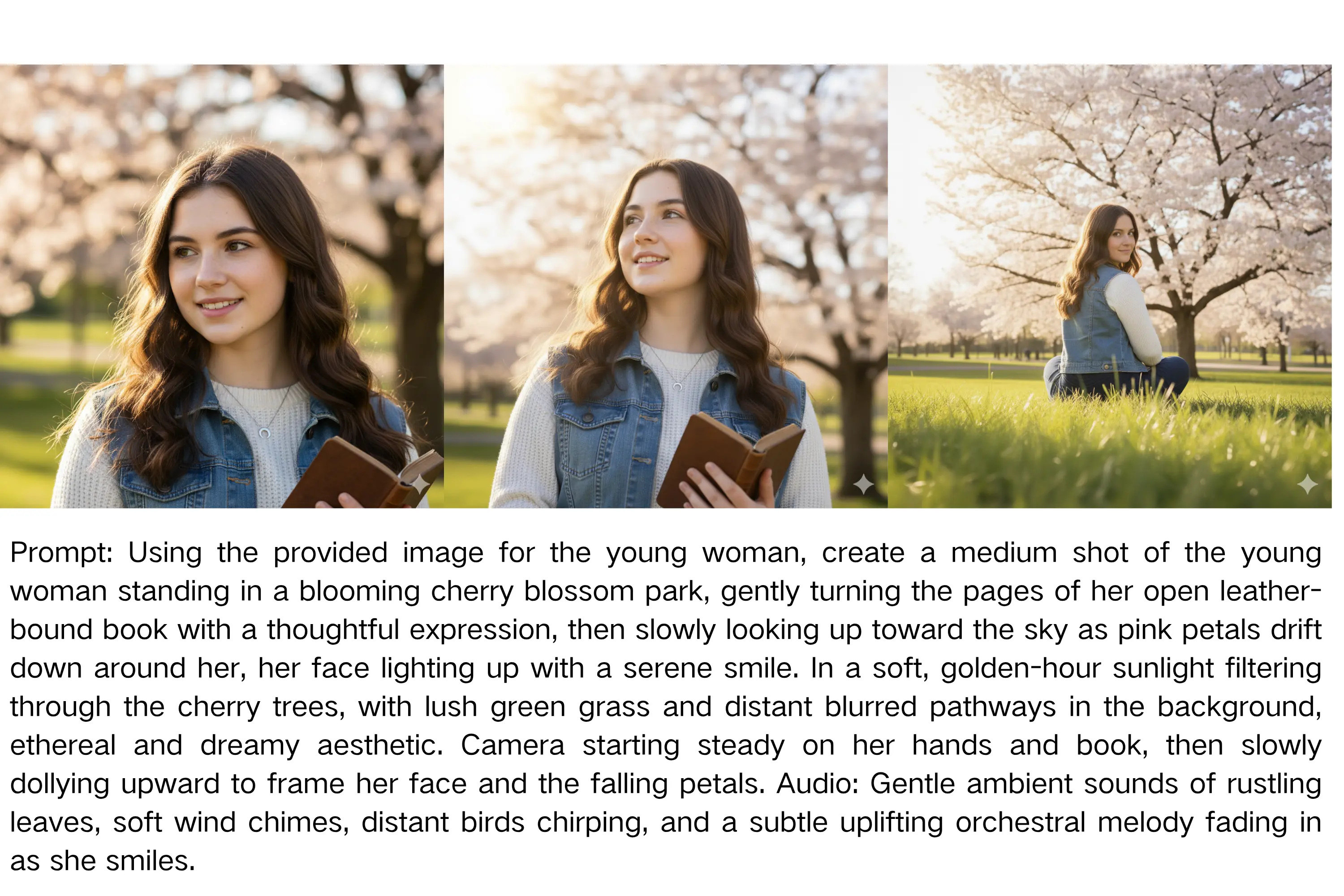
Step 2: Enter the Prompt, Click Generate, and Wait for the Result
Input a descriptive prompt for the video scene or action (e.g., "Animate the character walking in a park, keeping consistent features from references"). Click the generate button and wait for the processing to complete, typically a few minutes.
Limitations and Requirements
Model Support:
Currently, only the veo 3.1 fast model supports Reference-to-Video. The veo 3.1 Quality model does not.
Aspect Ratio
Limited to 16:9 (landscape format). Other ratios like 9:16 or Auto are not supported in this mode.
Image Count
Minimum 1, maximum 3 images. Exceeding this will result in validation errors.
Resolution
Supports up to 1080P HD in 16:9, but ensure your references are high-quality for best results.
Frequently Asked Questions of Reference-to-Video
Find answers to common questions about our service.